
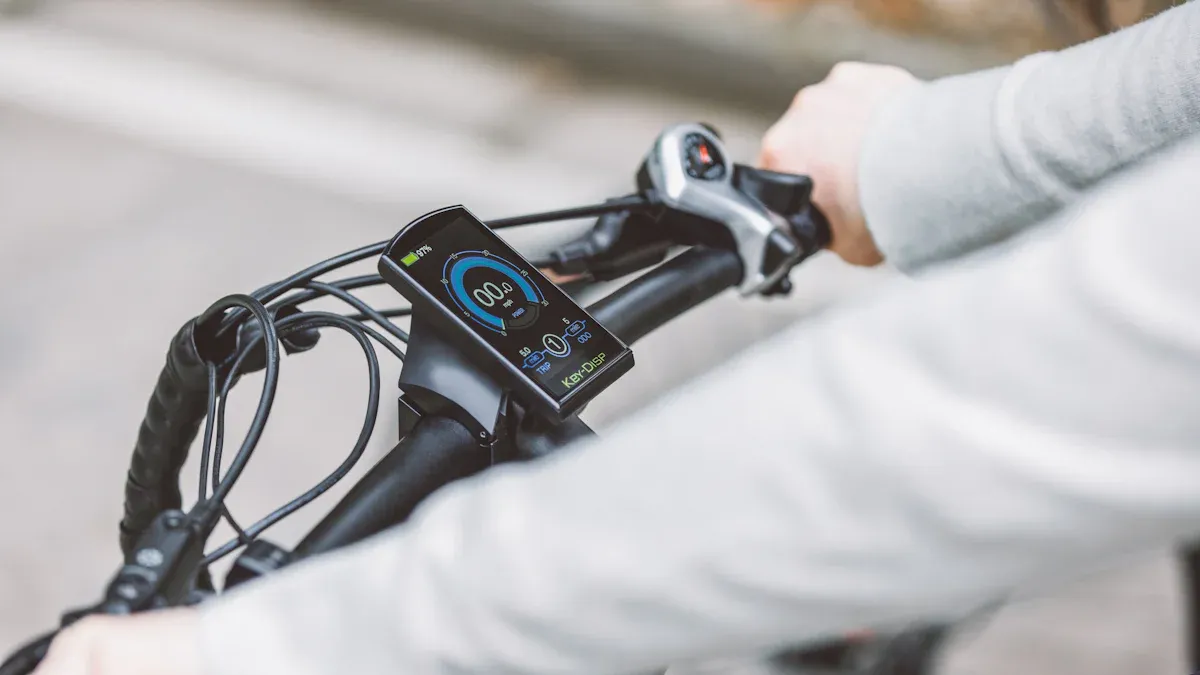
The eBike Flow app transforms your riding experience. With it, you don't just control your eBike; you also optimize your rides. You can plan routes directly in the app and receive precise data on your performance. The app connects seamlessly to your eBike and provides security through features like tracking and updates. Your eBike becomes smarter while you remain in control.
With the eBike Flow app, you turn every ride into a personalized experience.
Key Takeaways
The eBike Flow app makes your riding easier and better.
Save information about your eBike in the digital garage.
Document maintenance data so you don't forget anything important.
Turn on voice prompts to be safer on the road.
Update the app and your eBike regularly for the best performance.
Having trouble? Use the help section or contact support.
Features of the eBike Flow App
Navigation and Route Planning
With the eBike Flow app, you can plan your routes directly on your smartphone. The app offers an intuitive interface where you can enter start and destination points. It calculates the best route based on your riding style and current conditions.
Tip: Use the map view to discover alternative routes and explore new paths.
The app shows you not only the route but also important information such as elevation profiles and estimated arrival times. During your ride, you receive clear instructions that help you reach your destination safely.
Ride Statistics and Analysis
The eBike Flow app automatically records your rides. You can analyze your speed, distance covered, and energy consumed. This data helps you improve your performance and adjust your riding style.
An overview shows you your weekly, monthly, and yearly statistics, helping you keep track of your progress. Especially practical: You can share your ride data with friends or use it for your own personal motivation.
Note: Regular analysis of your ride statistics can help you ride more efficiently and maximize your range.
Software Updates and Integration
The eBike Flow app ensures that your eBike is always up to date. Through the app, you can download and install software updates for your eBike. These updates improve performance and add new features.
The app integrates seamlessly with other services such as fitness apps or navigation systems. This allows you to plan and analyze your rides even better. With the integration of third-party apps, your eBike experience becomes even more versatile.
Important: Ensure your smartphone is connected to the internet to perform updates and integrations without issues.
Digital Garage
The digital garage in the eBike Flow app offers a practical way to manage your eBike securely. You can store important information about your eBike, such as serial number, model, and purchase date. This feature helps you identify your eBike quickly in case of theft and initiate the necessary steps.
Tip: Take a picture of your eBike and upload it to the digital garage. This makes identification easier in the event of loss or theft.
The digital garage also serves as a central storage location for maintenance data. You can document service intervals and repairs to keep an eye on the condition of your eBike. This feature supports you in extending the lifespan of your eBike and identifying potential problems early.
Voice Prompts and Tracking
The eBike Flow app provides voice prompts that make your ride safer and more comfortable. During navigation, you receive clear instructions directly through your headphones or speakers. You don't have to constantly look at your smartphone, allowing you to focus fully on the road.
Note: Enable voice prompts in the app settings to make the best use of this feature.
The app's tracking feature automatically records your rides. You can check and analyze your route later. This feature is particularly useful if you want to explore new routes or improve your riding performance.
An additional safety feature is live tracking, which allows you to share your current position with friends or family. This increases safety, especially on longer rides or in remote areas.
Important: Ensure your smartphone is connected to the internet during the ride to use all tracking features.
Setting Up the eBike Flow App
Download and Installation
You can easily download the eBike Flow app to your smartphone. Open the App Store or Google Play Store and search for the app. Tap "Install" to start the download. Once installation is complete, you will find the app on your home screen.
Tip: Ensure your smartphone has sufficient storage space before downloading the app.
After installation, open the app and follow the on-screen instructions. The app will guide you through the first steps, such as creating a user account. Enter your data and confirm it to complete the setup.
Connecting to the eBike
The connection between your eBike and the eBike Flow app is crucial for using all features. Enable Bluetooth on your smartphone. Turn on your eBike and open the app. In the app, select the option "Connect Device".
The app will automatically search for your eBike. Once it is found, tap "Connect". The connection will be established, and you can start using the app.
Note: Keep your smartphone close to the eBike during the connection process to avoid potential interference.
Personalizing Settings
The eBike Flow app offers numerous ways to customize your riding experience. Open the settings in the app to adjust the assistance levels of your eBike to match your riding style.
You can also enable notifications to stay informed about updates and maintenance intervals. Choose your preferred language and system of units to get the most out of the app.
Tip: Experiment with the settings to find out which configuration suits you best.
Personalization makes your eBike experience unique and ensures you have full control over your rides.
Troubleshooting and Problem Solving
Solving Connection Issues
Connection problems between your smartphone and your eBike can be frustrating. Often, the cause lies in the Bluetooth connection. Ensure Bluetooth is enabled on your smartphone. Turn on your eBike and keep it close to your smartphone.
If the connection is not established, check if other devices are connected to your smartphone. Disconnect them, as they could interfere with the communication with your eBike. Then, restart the eBike Flow app and try to establish the connection again.
Tip: Update your eBike's firmware regularly. Outdated software can cause connection issues.
If the problem persists, check your smartphone's settings. Ensure the app has the necessary permissions to access Bluetooth and location data.
App Crashes and Performance Issues
App crashes and slow performance can impair your riding experience. The eBike Flow app has integrated error logging that documents such issues. This feature helps developers improve the app's stability.
Feature |
Description |
|---|---|
Error Logging |
The app logs errors and crashes to help developers identify and fix issues. This feature improves the stability and reliability of the app by providing valuable information for troubleshooting and optimization. |
To avoid crashes, always keep the app and your smartphone's operating system up to date. Close any other apps running in the background to improve your smartphone's performance.
Note: Clear the app's cache regularly. This can free up storage space and increase app speed.
If the app continues to crash, uninstall it and reinstall it. This removes corrupted files that might be the cause of the problem.
Software Updates and Synchronization
Software updates are crucial for optimizing your eBike's functions. The eBike Flow app notifies you as soon as an update is available. Download and install the update while your eBike is turned on.
Synchronization issues often occur when the internet connection is unstable. Ensure your smartphone is connected to a reliable Wi-Fi or mobile data network. Sync the app regularly to ensure all data, such as ride statistics and settings, is current.
Tip: Schedule updates and synchronizations when you have time. This process can take a few minutes and should not be performed while riding.
If an update fails, restart the app and your eBike. Then try to perform the update again. If the problem persists, contact the app support.
Support and Help
Sometimes you need assistance to get the most out of the eBike Flow app. The app offers various ways to find help and solve problems. Here is how you can get support quickly and effectively.
1. Using In-App Help
The eBike Flow app has a built-in help function. You can find this in the menu under "Settings" or "Help". There, you will find answers to frequently asked questions (FAQs) and step-by-step guides.
Tip: Search specifically for your problem in the help function's search bar. This saves time and provides the right solutions.
2. Contacting the Support Team
If you cannot find a solution in the app, you can contact the support team. Open the app and go to "Support" or "Contact". There you will find the option to send a message or call directly.
Important information to have ready:
Model and serial number of your eBike
Version of the eBike Flow app
Description of the problem
Note: The more accurately you describe your problem, the faster the support team can help you.
3. Online Community and Forums
The eBike community is a great resource for tips and tricks. Many users share their experiences and solutions in forums or on social networks. You can engage with other riders there and benefit from their knowledge.
Popular platforms:
Bosch eBike Forum
Facebook groups for eBike users
Reddit communities
Tip: Search for specific topics or issues to get targeted answers.
4. Local Dealers and Workshops
Your local eBike dealer can also help you. Many dealers are familiar with the eBike Flow app and can assist you with setup or technical issues.
Note: Make an appointment to ensure that an expert is available to help you.
5. Regular Updates and Maintenance
Keep the app and your eBike up to date. Regular updates fix known bugs and improve performance. Also, check your eBike's maintenance intervals to identify potential problems early.
Important: Schedule updates and maintenance outside of your riding times to avoid interruptions.
With these tips, you will quickly find the support you need. Whether you use the integrated help, contact the support team, or turn to the community—you are never alone with your problem.
The eBike Flow app improves your riding experience in many ways. It offers features that make your rides safer and more efficient. With the right setup, you can enjoy all the benefits of the app. Quick problem-solving ensures you don't lose time and your eBike functions optimally. A well-configured app enables a smooth and personalized riding experience. Use the app to take your eBike experience to the next level.
FAQ
How can I update the eBike Flow app?
Open the app and go to settings. There you will find the option "Software Updates". Ensure your smartphone is connected to the internet. Tap "Install Update" while your eBike is turned on.
Tip: Schedule updates outside of your riding times to avoid interruptions.
What should I do if the app won't connect to the eBike?
Enable Bluetooth on your smartphone and ensure your eBike is turned on. Keep both devices close to each other. Restart the app and try to establish the connection again.
Note: Check if other devices might be interfering with the Bluetooth connection.
Can I export my ride statistics?
Yes, the app offers an export feature. Go to "Ride Statistics" and select the option "Export Data". You can save the data as a CSV file and share it with other apps or services.
Important: Ensure the app is on the latest version to use all features.
How do I activate voice prompts?
Open the app settings and search for "Voice Prompts". Enable the feature and choose your preferred language. Connect your headphones or speakers to hear the instructions during your ride.
Tip: Test the volume before your ride to ensure you can hear the prompts clearly.
What do I do in case of an app crash?
Close the app and open it again. Clear the app's cache to free up storage space. Keep the app and your smartphone's operating system up to date. If the problem persists, uninstall the app and reinstall it.
Note: Contact support if the crash occurs repeatedly.