
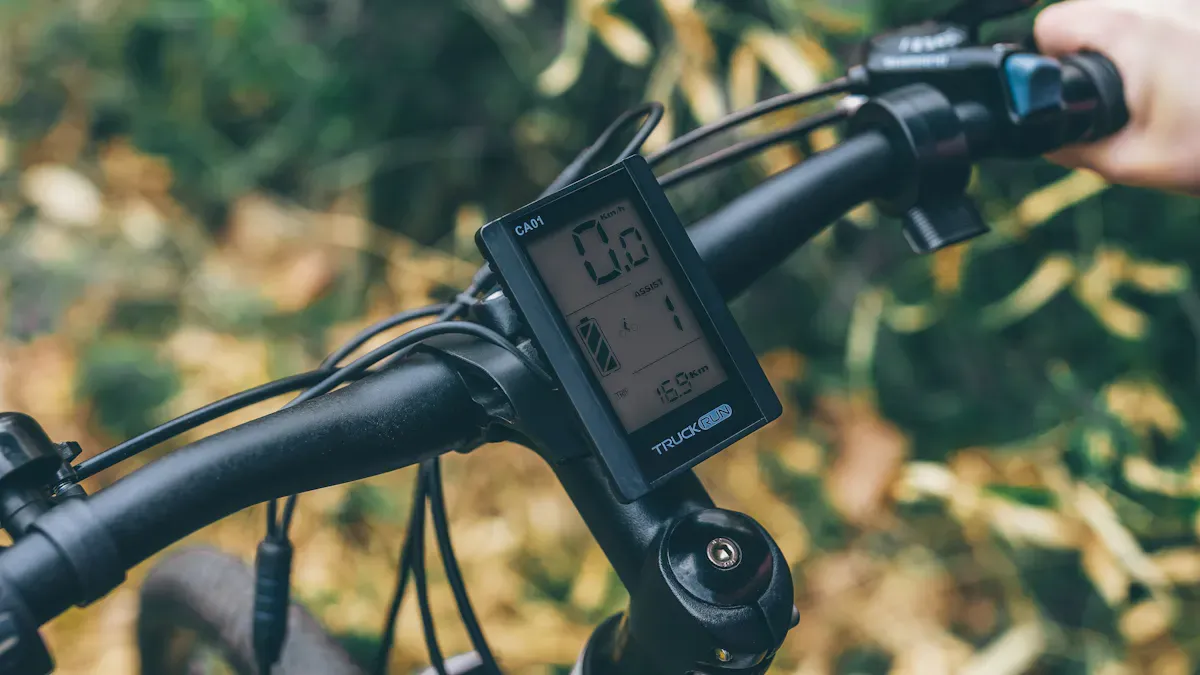
You benefit from an e-bike display because you have important information directly in view. Many riders only look at two or three values while riding, such as speed or battery level, on the e-bike display. This way, you stay in control and can focus fully on your route. Operating the e-bike display remains simple, so you can focus on the essentials.
Key Insights
E-bike displays show important information like speed and battery level. This helps you keep control during your ride.
Modern displays calculate the remaining range based on your riding style and the assistance level. This helps you plan your tour better.
Selecting assistance levels and riding modes is done easily via the display. This allows you to adapt the motor assistance to your needs.
E-Bike Display: Functions & Indicators
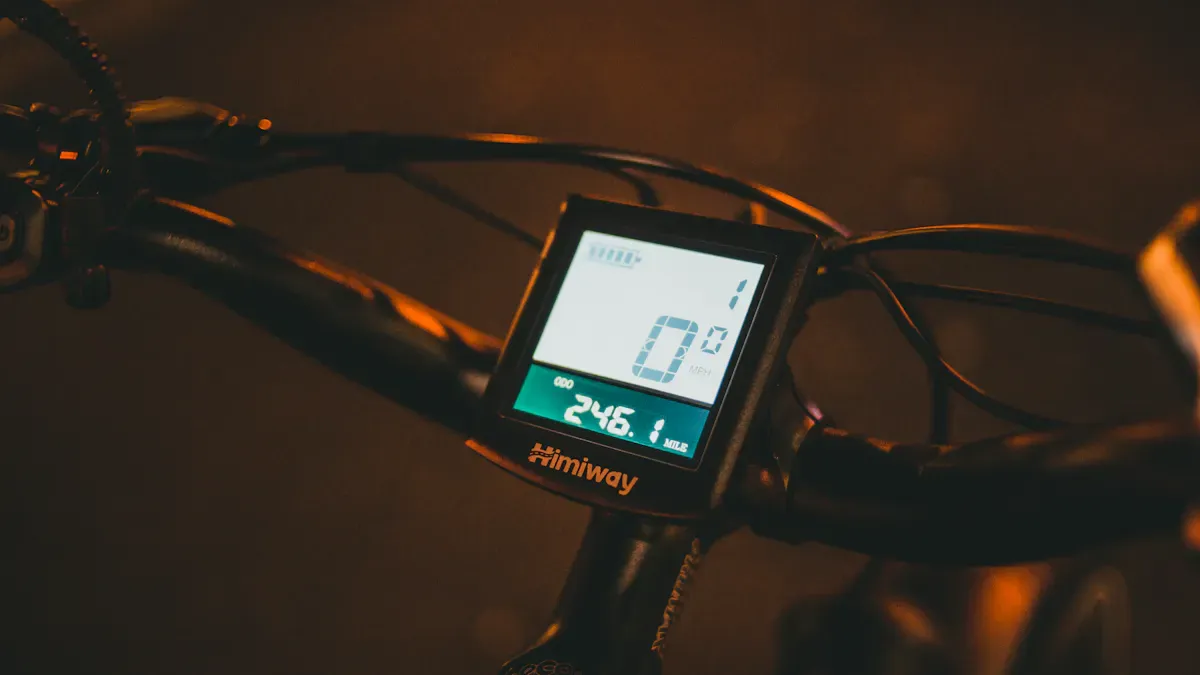
An e-bike display is usually located centrally or on the side of the handlebars. You can easily operate it with your thumb without taking your hand off the grip. The position on the handlebars ensures that you have all important information in view and feel safe. Many users prefer a central display because it gives you the best view of speed, battery level, and other data. A side-mounted display looks more discreet but often shows less information.
Speed & Riding Data
The e-bike display shows your current speed. You can see immediately how fast you are going. The display helps you control your pace and stick to traffic rules. Different display types offer various riding data. Some models only show the speed, while others also provide average speed, daily kilometers, or total distance.
Tip: An e-bike display usually measures speed via a sensor on the wheel. GPS devices are often even more precise because they use modern tracking technology.
E-bike displays |
GPS devices (bicycle navigation systems) |
|---|---|
Offer more precise positioning through multi-frequency GPS technology and GLONASS support |
Battery Level & Range
Do you want to know how far you can still ride? The e-bike display shows you the battery level and calculates the remaining range. Modern displays are very reliable in this regard. The display adapts dynamically to your riding style, the selected assistance level, and the route profile. For example, if you ride in Eco mode on a flat route, the display shows a greater range. If you switch to a higher mode or ride uphill, the range decreases.
Factor |
Description |
|---|---|
Riding style |
Your current riding style directly influences the range. |
Assistance level |
The higher the level, the more energy the motor consumes. |
Route profile |
Hilly routes cost more battery than flat paths. |
Assistance Levels & Riding Modes
With the e-bike display, you select the appropriate assistance level. You decide how much help the motor provides. In everyday life, three to four levels are often sufficient. For sporty rides or mountains, many displays offer four to five levels. Operation is usually via buttons on the handlebars. A clear pressure point ensures that you can react quickly. The display always shows you which level you are currently using.
Assistance levels |
Application |
|---|---|
3-4 |
Everyday life |
4-5 |
Sport and mountains |
You can also adjust the riding modes directly on the display. Many e-bike displays offer modes like Eco, Auto, or Off. In Eco mode, you save battery and ride further. In Auto mode, the assistance adjusts automatically. You can choose the modes according to your needs.
Riding mode |
Description |
|---|---|
Eco mode |
Energy-saving, for longer range. |
Auto mode |
Automatic adjustment of assistance. |
Off |
No motor assistance. |
Other modes |
Individual adjustment possible. |
Additional Functions (e.g., walk assist, time, navigation)
Modern e-bike displays offer many additional functions. The walk assist is particularly practical. You activate it with the "Walk" button on the handlebars. The display then shows "WALK +". The walk assist supports you up to 6 km/h when you push the bike – for example, on a steep ramp. Many users really appreciate this feature in everyday life.
Function |
Description |
|---|---|
Walk assist |
Makes pushing the e-bike easier, activated via "Walk" button. |
Navigation |
Shows navigation prompts, often in connection with the smartphone. |
USB-C charging port |
Charges your smartphone while riding. |
Many e-bike displays also offer a clock display, fitness tracking, or a connection to your smartphone. This allows you to record your rides, count calories, or see navigation instructions directly on the display. The variety of functions makes the e-bike display your central companion on every tour.
Note: An e-bike display is crucial for control and the riding experience. You have all important data in view and can optimally steer the bike.
Operation & Display Types
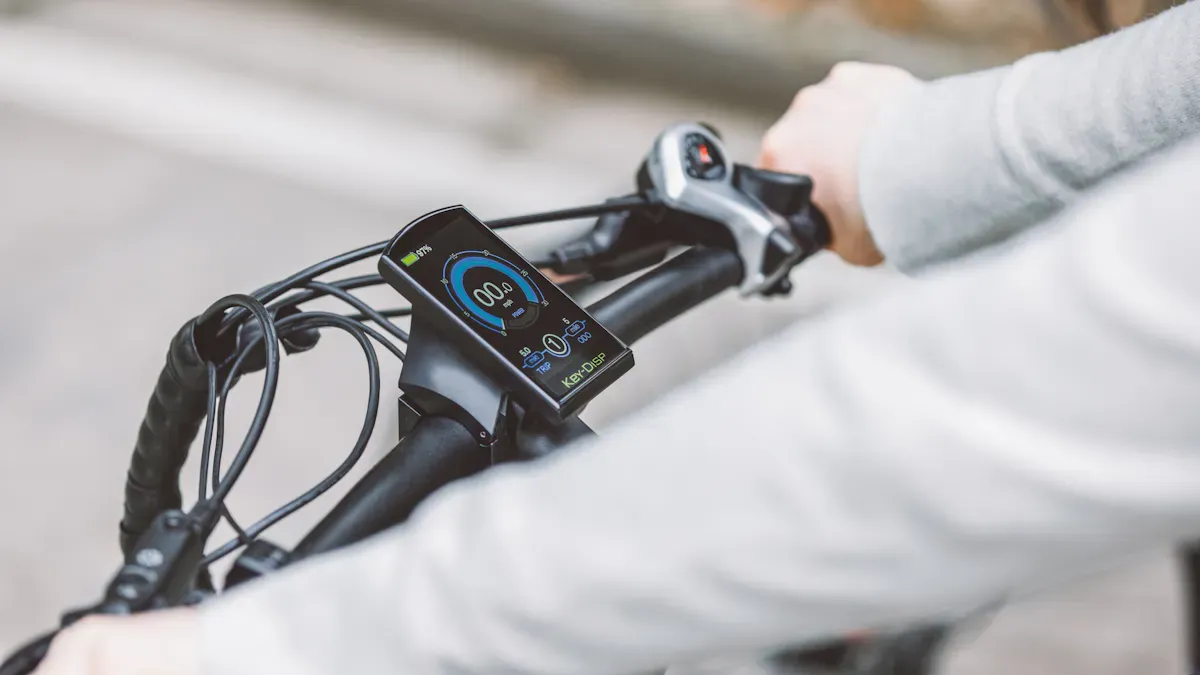
Operation during the ride
You want to operate your e-bike display easily during the ride. Manufacturers make sure that you can reach all important functions with your thumb. The control elements are intuitively designed. You can use them without much effort. A good display shows all data clearly, even in the sun. You see speed, battery level, and warning messages immediately. You can reach the most important settings quickly. Many displays offer you these advantages:
Aspect |
Description |
|---|---|
You control the display easily with your thumb. |
|
Clear readability |
The screen remains clearly visible even in sunlight. |
Quick data retrieval |
You find important info like speed immediately. |
Warning messages |
The display informs you about battery level and safety. |
Display types & differences
You will find different types of displays on e-bikes. Each variant has its own advantages. The following list shows you the most common types:
Control unit without display
Control unit and display as an all-in-one solution
Large display with control unit near the thumb
Large display with touch function and control unit near the thumb
Many displays use LCD or OLED technology. Both have differences:
Feature |
LCD displays |
OLED displays |
|---|---|---|
Backlighting |
Requires constant backlighting |
No backlighting required |
Black levels |
Lower |
Higher |
Power consumption |
Higher |
Lower |
Thickness |
Relatively thick |
Extremely thin |
Contrast |
Lower than OLED |
Higher than LCD |
Aging |
Longer service life |
Age faster |
Brightness |
Brighter |
Can appear darker |
Examples of e-bike displays
Many users pay attention to user-friendliness. Ergonomically designed displays like the iSmart e-bike display offer large, easy-to-read fonts. You can operate them easily. The Bosch Intuvia is also popular. It sits centrally on the handlebars and shows you a lot of data at a glance. Side-mounted displays look more discreet but often show less info. You can find typical setting options in this table:
Setting |
Description |
|---|---|
Connections |
Bluetooth, smartphone, WiFi, heart rate monitor |
User profile |
Active user, adjust wheel circumference |
Time settings |
Select time and time format |
Language |
Select language for the display |
Riding data |
Record and reset riding data |
Tip: Choose a display that suits your needs. Look for simple operation and good readability.
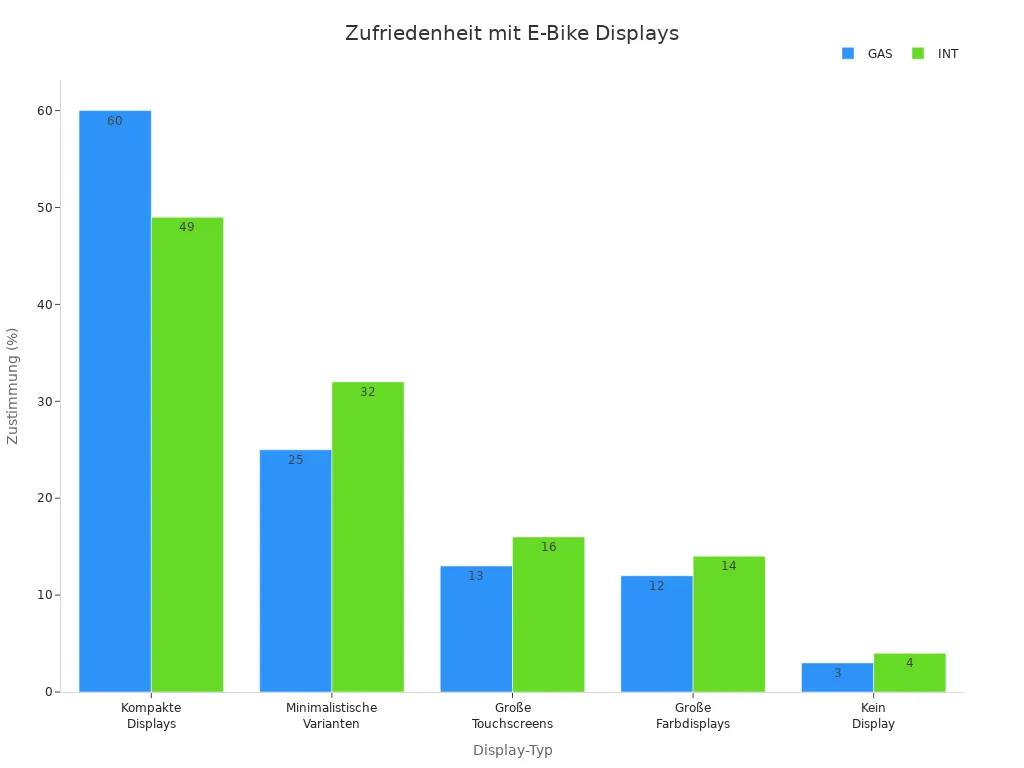
You will find the right e-bike display if you pay attention to readability and ease of use. Many riders prefer compact displays:
Follow these tips for everyday use:
Choose an intuitive control concept.
Ensure that you can recognize important info quickly.
Check which functions you really need.
FAQ
How do I best clean my e-bike display?
You can wipe the display with a soft, slightly damp cloth. Avoid aggressive cleaning agents. Dry the display afterwards with a clean cloth.
What do I do if the display no longer responds?
Restart the display by switching it off briefly. Check the cable connection. Contact the dealer if the problem persists.
Can I connect my smartphone to the e-bike display?
Many modern displays offer Bluetooth or USB. You can pair your smartphone to use navigation data or fitness apps.